A Mac storage analyzer that explains what it finds
DiskFox measures what's using your Mac's storage, grouped into categories you can act on, with the largest files, apps and exact duplicates a click away. Everything is measured on your Mac.
$6.99 one-time · 14-day free trial, no card needed · macOS 14 or later


What DiskFox measures
Open DiskFox and the Home screen answers the first question: how much space is free, and where the rest went. Instead of hundreds of folders, it groups your disk by what the data actually is:
- Apple Intelligence & Siri: on-device models and assets that macOS manages.
- Developer data & caches: Xcode, simulators, and package caches such as npm, Homebrew and pip.
- App data & caches: what your apps keep in your Library, measured per app.
- Containers & virtual machines: Docker Desktop, OrbStack, UTM and other VMs.
- System downloads & logs: downloaded macOS updates, logs and crash reports.
- Backups, mail & downloads: iPhone and iPad backups, Mail attachments and your Downloads folder.
- Everything else: apps, documents, photos and macOS itself, shown as one total.
Click any group to see its share of the disk, how much it changed in the last 7 days, a 30-day line, and what's inside it. When macOS is holding purgeable space it can free later, Home says how much.
Some locations, such as Mail, Messages and iPhone backups, can only be measured once you turn on Full Disk Access. That permission is optional. Without it, DiskFox measures what it can and tells you what it couldn't check.
Largest files, apps and duplicates
The Explore section has the tools for finding specific space:
- Largest Files scans your home folder, or folders you choose, and lists the 200 biggest files of 1 MB or more. You can move any of them to the Trash, or delete permanently after typing a confirmation.
- Applications lists every app with its real size, including the data and caches kept in folders named after it, and when you last used it. Review Uninstall… moves an app and the support folders you select to the Trash.
- Duplicates finds exact copies only. Files of 1 MB or more are matched by size, then by a SHA-256 checksum, then byte by byte, so similar photos are never mistaken for copies. One copy of every set always stays.
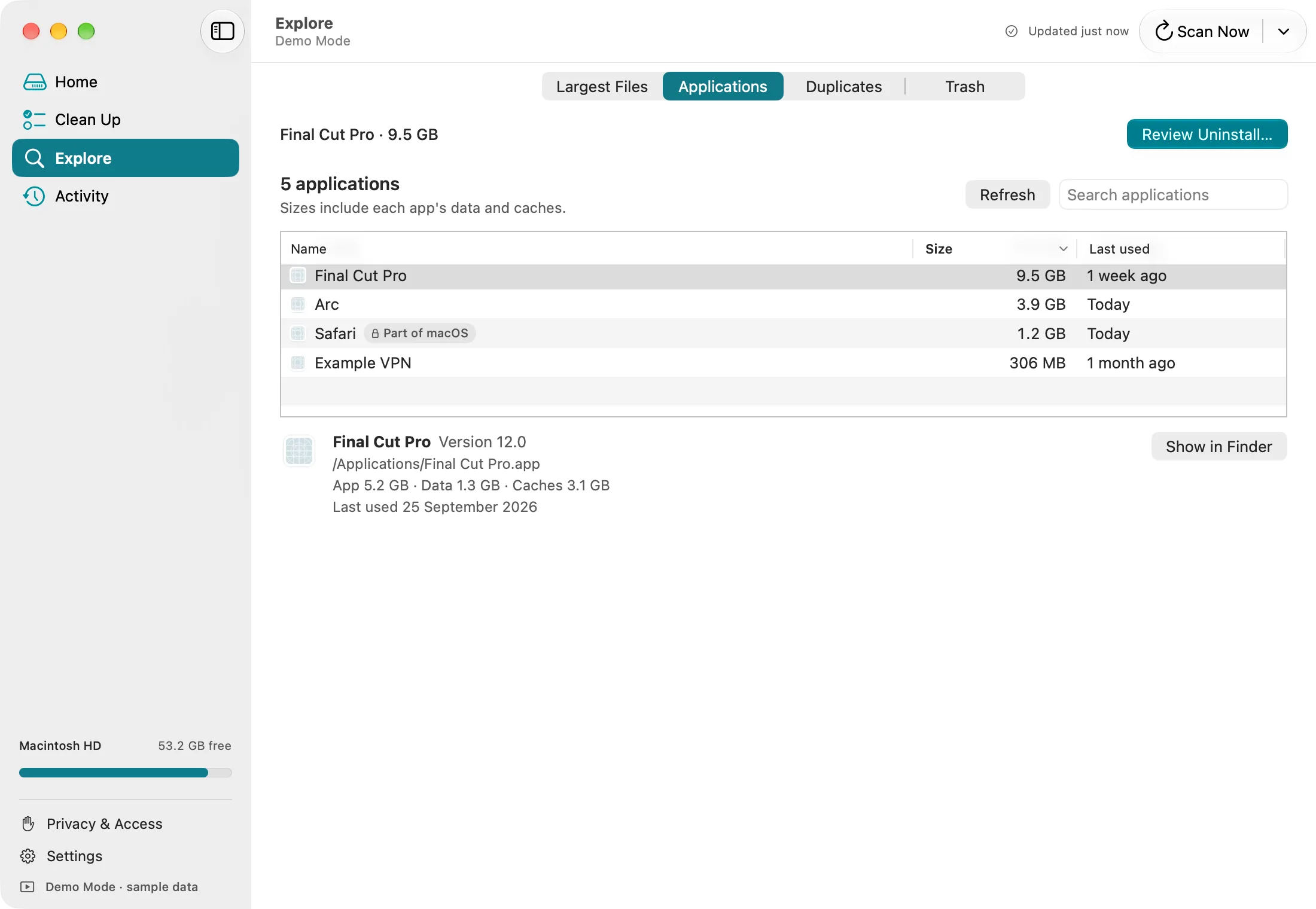
Applications in Demo Mode, with sample data.
How it differs from a disk map
Tools like DaisyDisk and GrandPerspective draw your whole disk as a map of blocks or rings, which is great for browsing every folder visually. DiskFox doesn't draw a map. It answers different questions:
- What is this space? It names the caches, backups, VMs and developer data behind a number, and says which parts are safe to remove.
- What changed? Every scan is kept, so DiskFox can show what grew this week and when. Read more on the Mac storage tracker page.
- What can I remove safely? Cleanup recommendations are reviewed before anything moves, and everything goes to the Trash first. See the Mac storage cleaner page.
If you only want to look around your disk once, a disk map or macOS's own Storage settings may be all you need. Our guide to finding what's taking up space on a Mac walks through the free options first.
What it needs
- macOS 14 or later, on Apple silicon or Intel.
- It measures your Mac's startup disk.
- Everything is measured on your Mac. History stores sizes, never file names, and file contents never leave your Mac.
Questions people ask
Is DiskFox free?
You can try every feature free for 14 days, with no card needed. After that it's a one-time purchase for up to 2 Macs, with no subscription and a 14-day refund.
Does it work on Intel Macs?
Yes. DiskFox runs on Apple silicon and Intel Macs with macOS 14 or later.
Does DiskFox upload my files?
No. It measures your Mac's storage on your Mac, and its history stores sizes, not file names. It sends a few anonymous usage counts, such as that it was opened, which you can turn off in Settings.
Can it analyse an external drive?
DiskFox measures and tracks your Mac's startup disk. It doesn't keep a history for external drives.
Does it delete anything automatically?
Never. DiskFox only moves items to the Trash after you review and confirm them, and you can put them back.